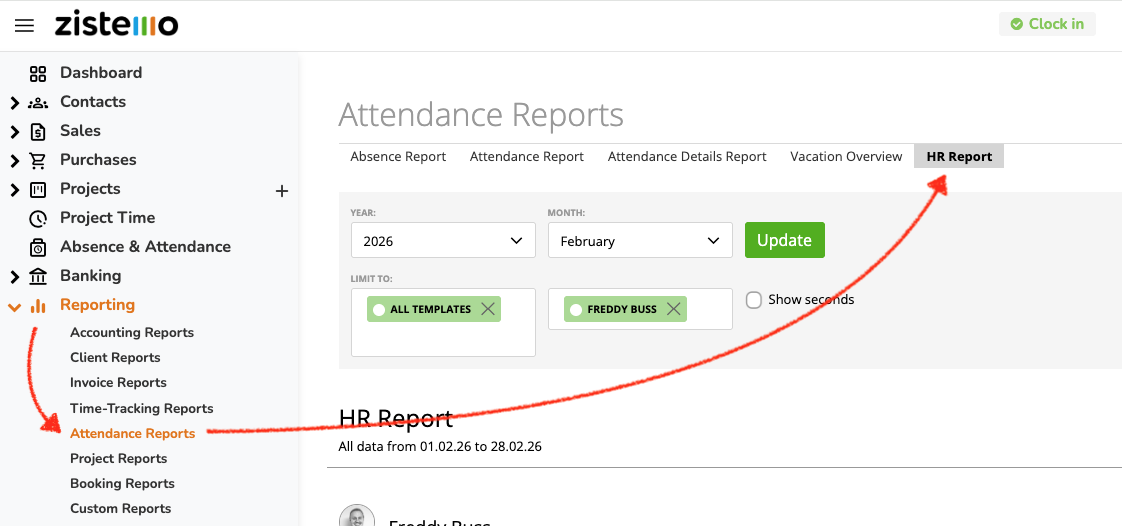
The HR report is designed for professional HR managers. Of course, each user can review the own HR report by default. Easily apply filters to view exactly what you need and perform quick plausibility checks to determine if any actions are required. Access all relevant information about staff working hours and leave, simplifying your handover to payroll. To see it, navigate to reporting/attendance reports/HR report:
In some countries, e.g. Switzerland, Germany, Italia, France or Spain employees get an extra pay for woking at night, on holidays or on the weekly day of rest. Therefore, you see on the HR report worktime on holidays and weekly day of rest (e.g. Sunday) and during the night.
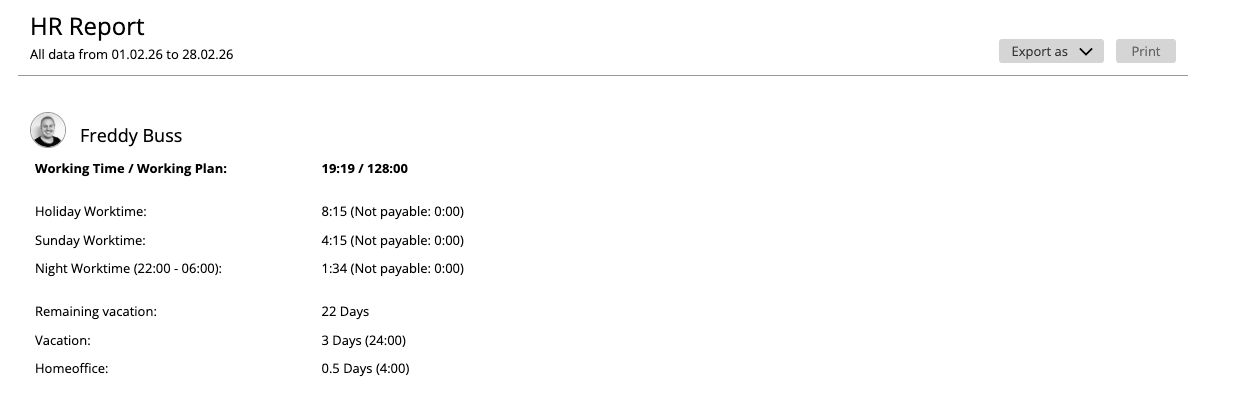
Holiday and Sunday Worktime
See if anyone worked during a holiday. Holiday worktime is all attendance time record tracked on a holiday, set up on the attendance time template.
Here’s more about holidays →
Sunday Worktime is any attendance time tracked on the weekly day of rest, set up on the attendance template’s worktime rule.
Here’s more about worktime rules →
Night Worktime
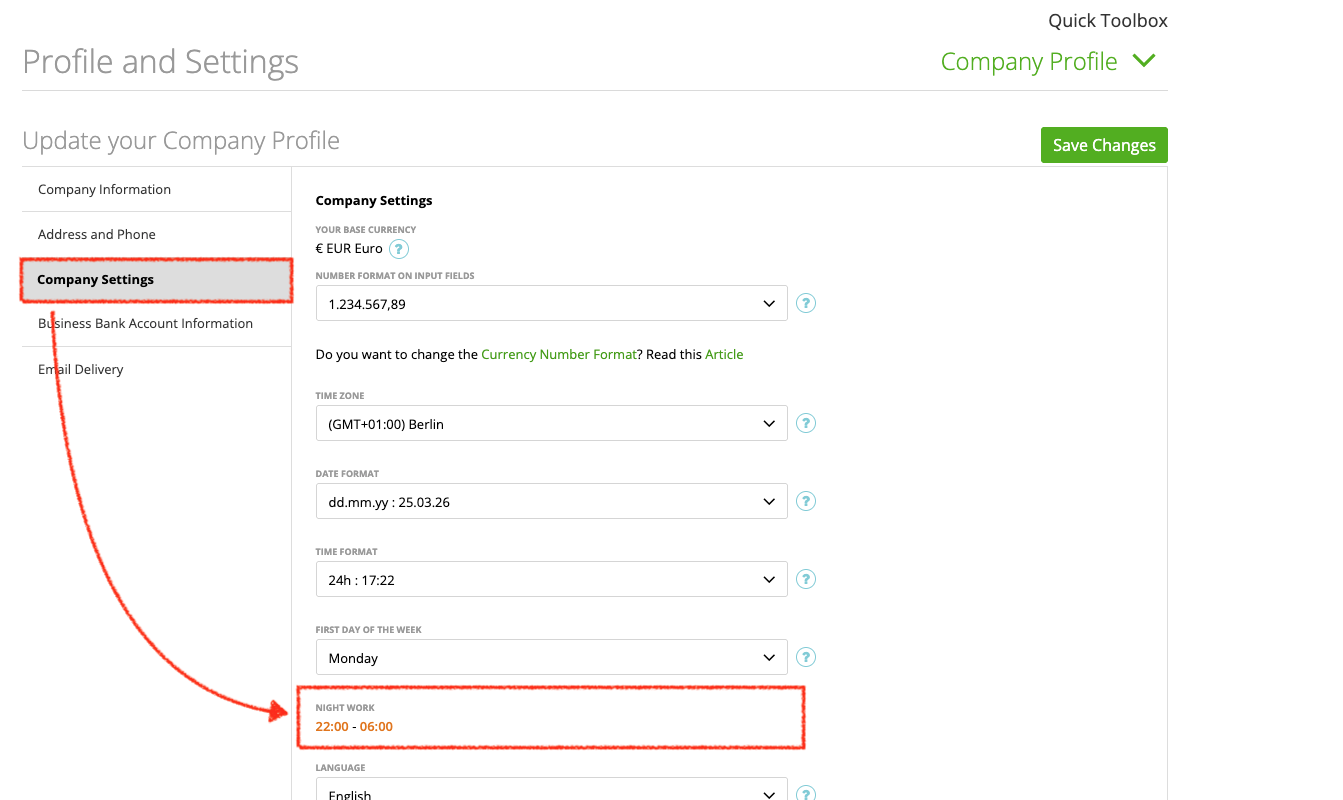
On the HR report you can easily see if a user tracked attendance time during the night. The night work time can be defined on settings/company profile/company settings. Usually, night work time is from 22:00–06:00. However, please make sure that the night worktime meet the regulation that apply to your company.
Here’s more about the company profile →
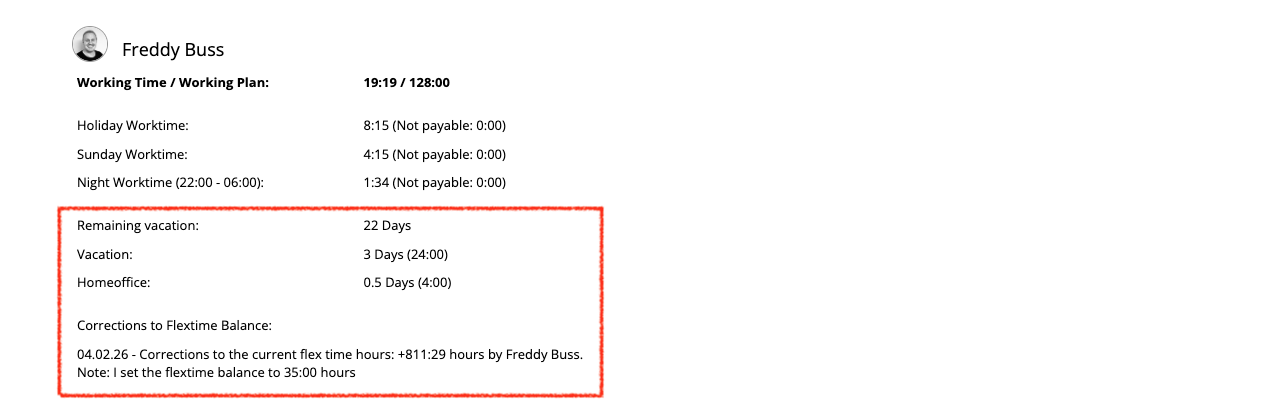
Further, you see the amount of the remaining and taken vacation days within the selected time period. Additionally, the report lists all leave types taken for the selected month. Both, taken vacation and taken leaves is shown in days and hours.
Below, you can see all manual corrections (e.g. paid out overtime or turned overtime into vacation) made to the user’s flextime balance in the selected time period.
Filters and Export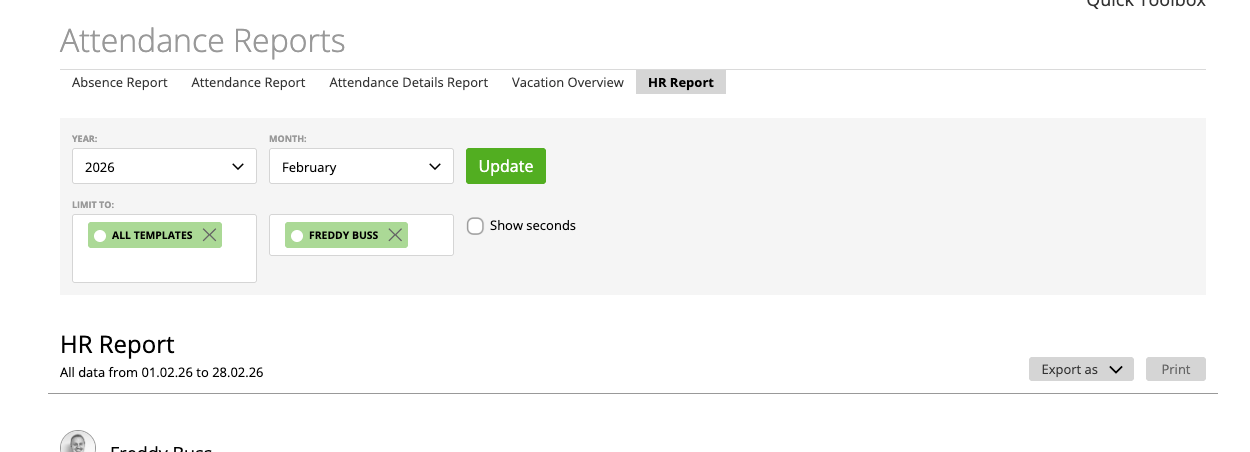
On the attendance report you can only view data per single month, you need to select the year and the month. You can limit the report to specific attendance time templates or to specific users, teams, or reporting groups.
The report can be exported as PDF only.