On zistemo, all details to the attendance time are logged. Tracking all changes to attendance time ensures accuracy, accountability, and compliance. It helps prevent errors or fraud, provides reliable data for payroll and reporting, and maintains a clear history for audits or disputes.
Go to Reports/Attendance Reports/Attendance Time Log to see all activities of from a user regarding attendance time and absences. Apply date range filters, corrections types and who executed the change. You can only select one staff member on that report.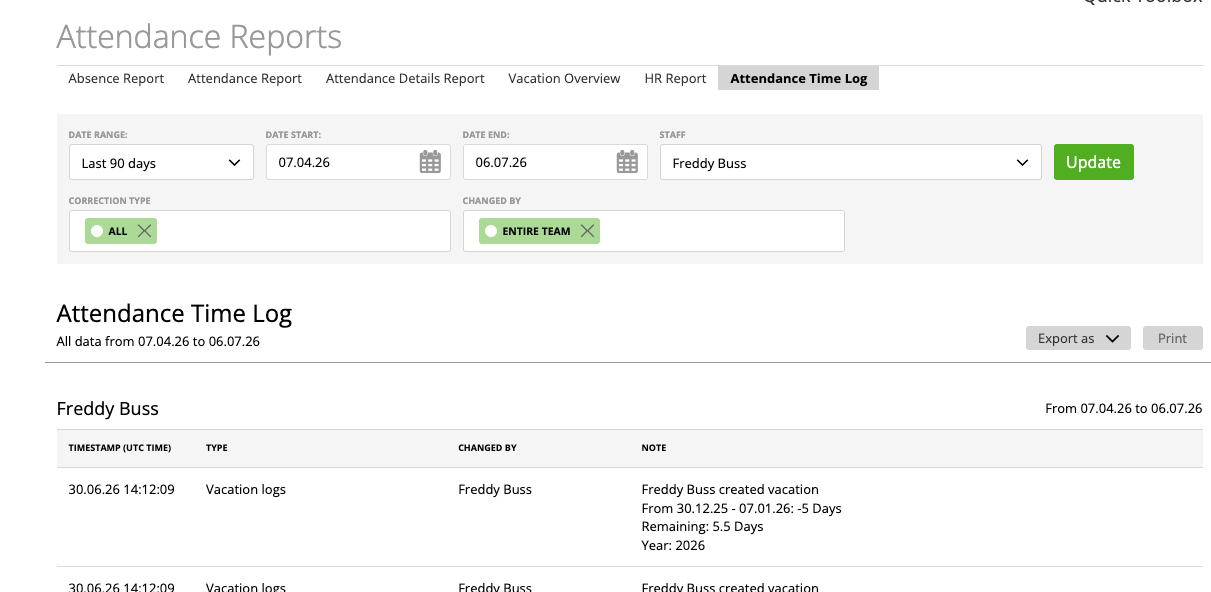
As an administrator, you can also view all details in the following logs:
Changelog of Corrections: All changes made to a users flextime balance
User’s Vacation Log
Changelog of Changes to the Attendance Time Template
Attendance Time Record History
Changelog of Corrections
Admins can make changes to a user’s flex time balance (more here →). You can view corrections made on the staff edit page/flextime settings.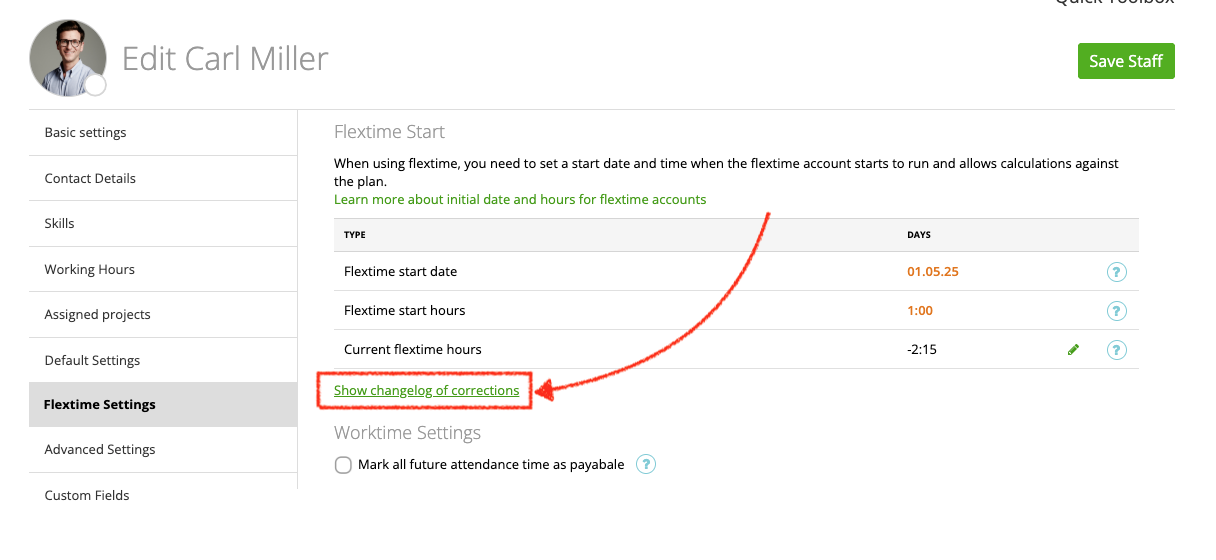
On the Changelog you can apply filters for period of time, correction type and person who made the correction. This Changelog can be exported as PDF, only admin can access this changelog.
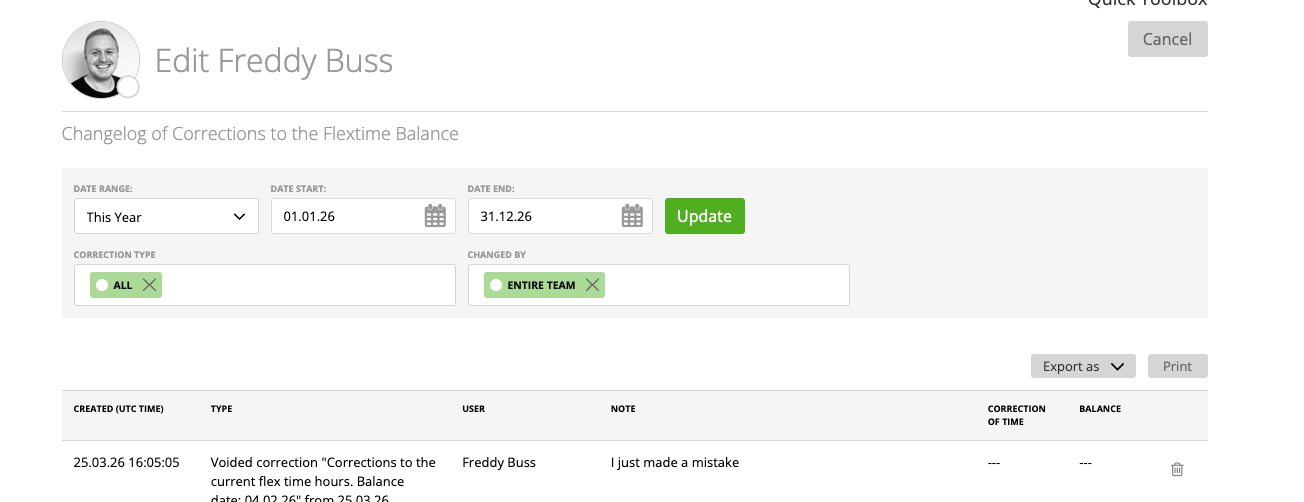
On that changelog you can also void a correction, more here.
User’s Vacation Log
Also on the staff edit page, but on the working hour tab you can access the vacation log of that person.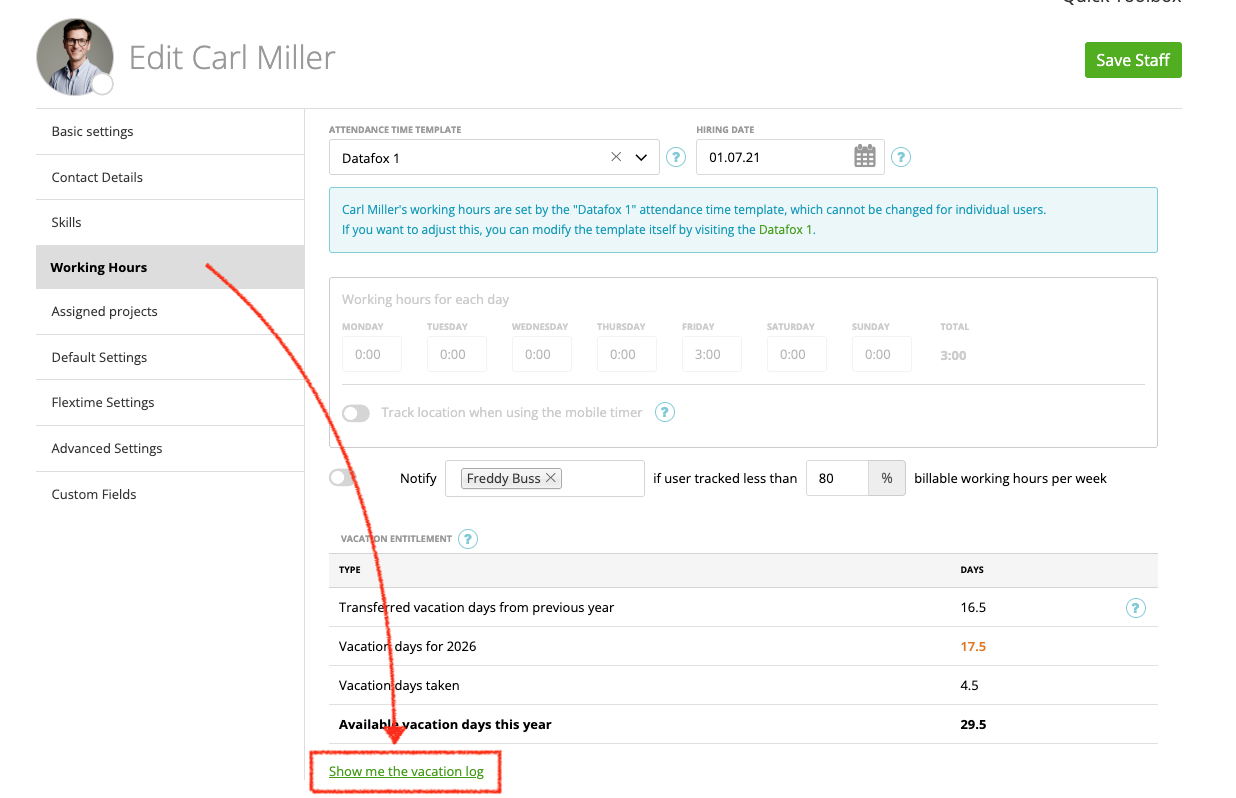
On that log you see all changes to the vacation of the current year. If you need to see the logs for previous years, please navigate to the user’s absence calendar, select the year and click on the remaining vacation days.
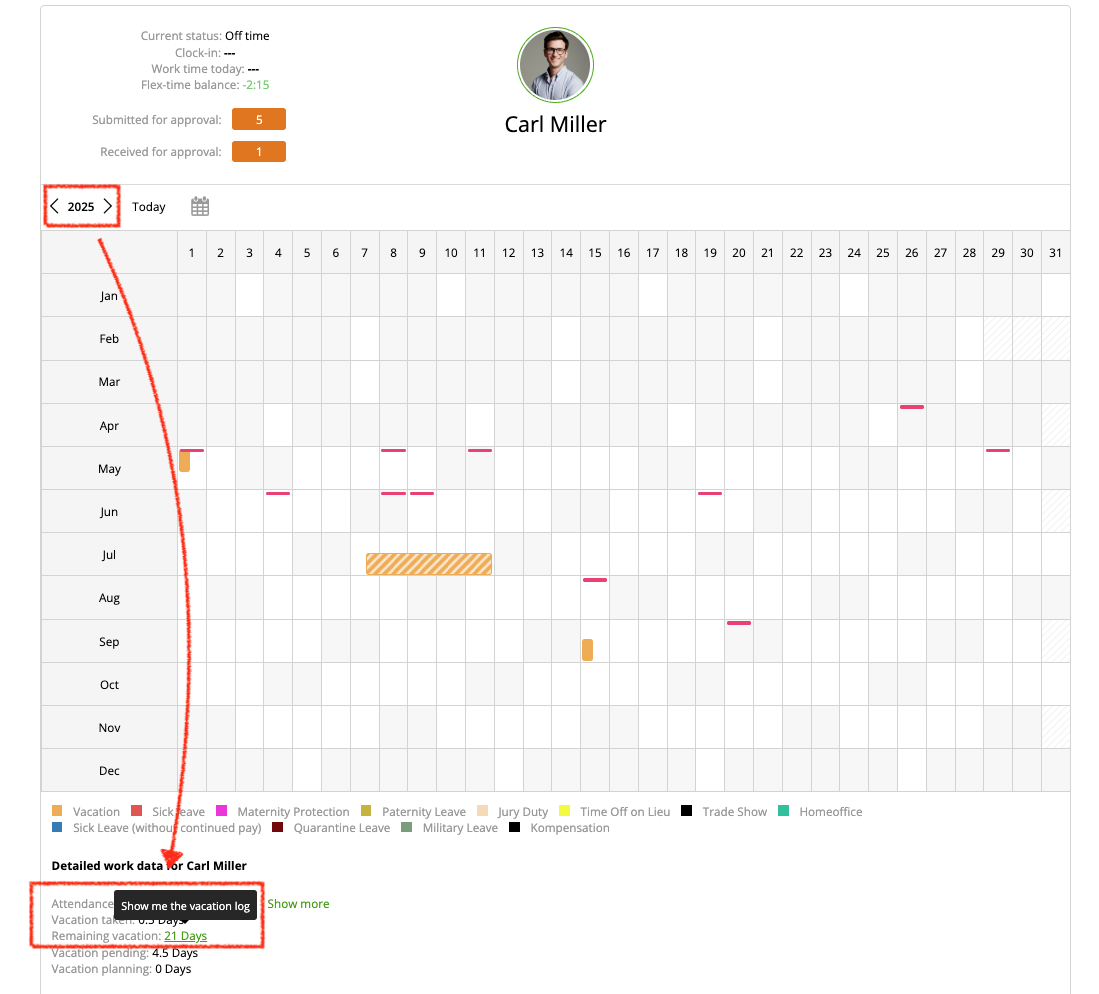
Changes to the Attendance Time Template
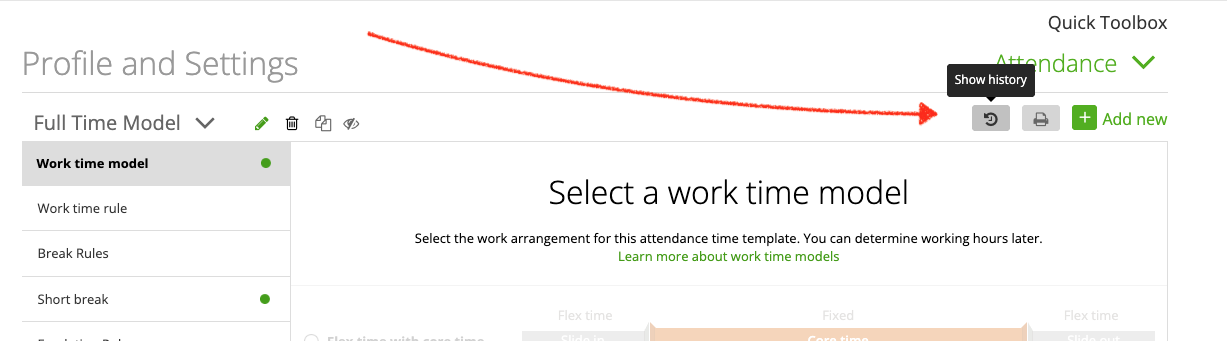
To see changes made to a specific attendance time template, go to this template (settings/attendance) and click on the history icon:
Now you can see all changes made to this attendance time template. This log can not be exported.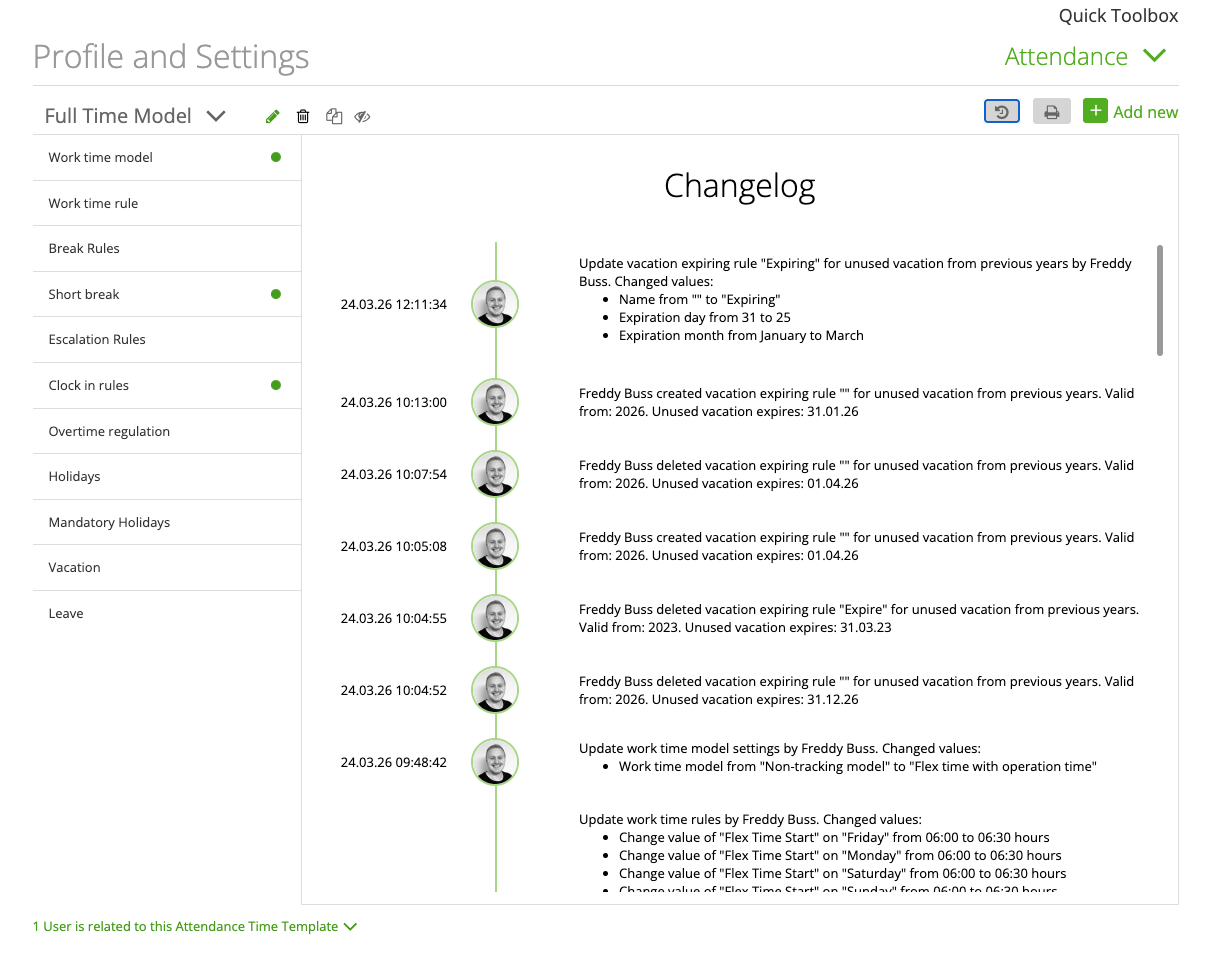
Attendance Time Record History
For each attendance time record the history can be viewed. Go to the attendance list view or calendar view. For each time record you can open the history with the history icon in the list view…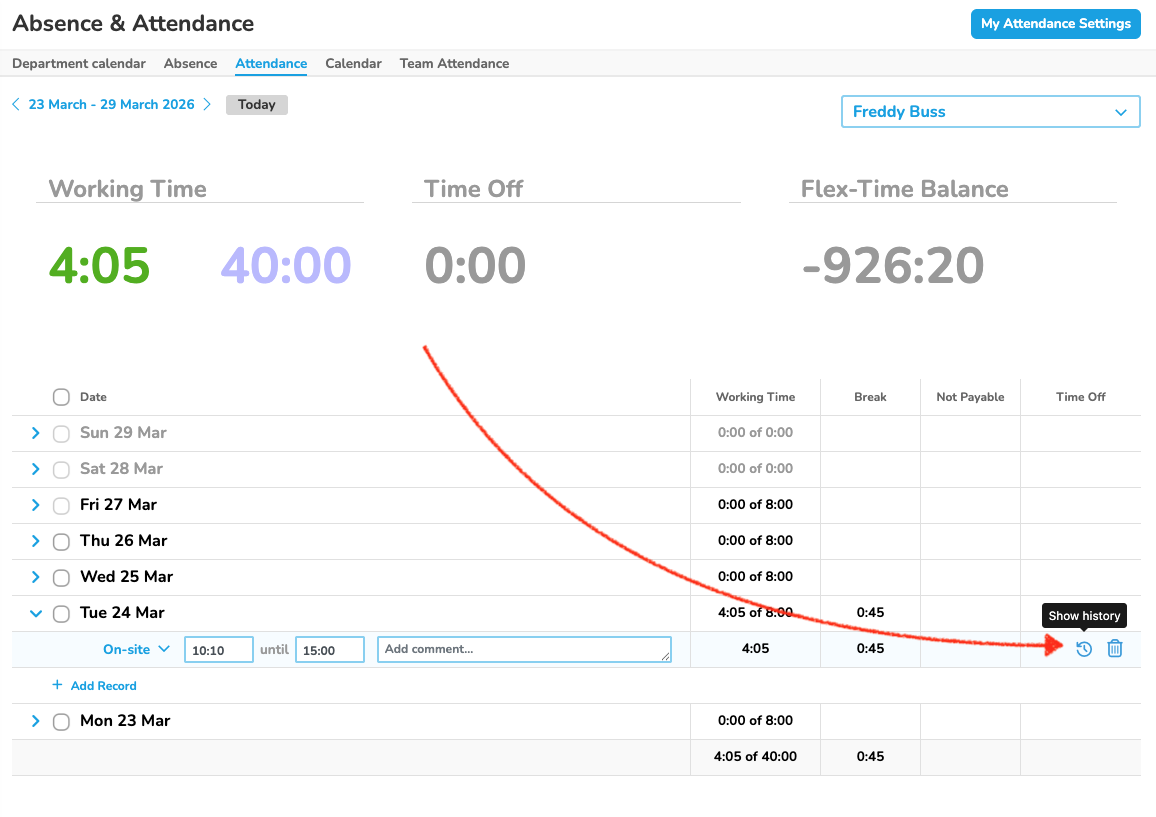
…and on the calendar view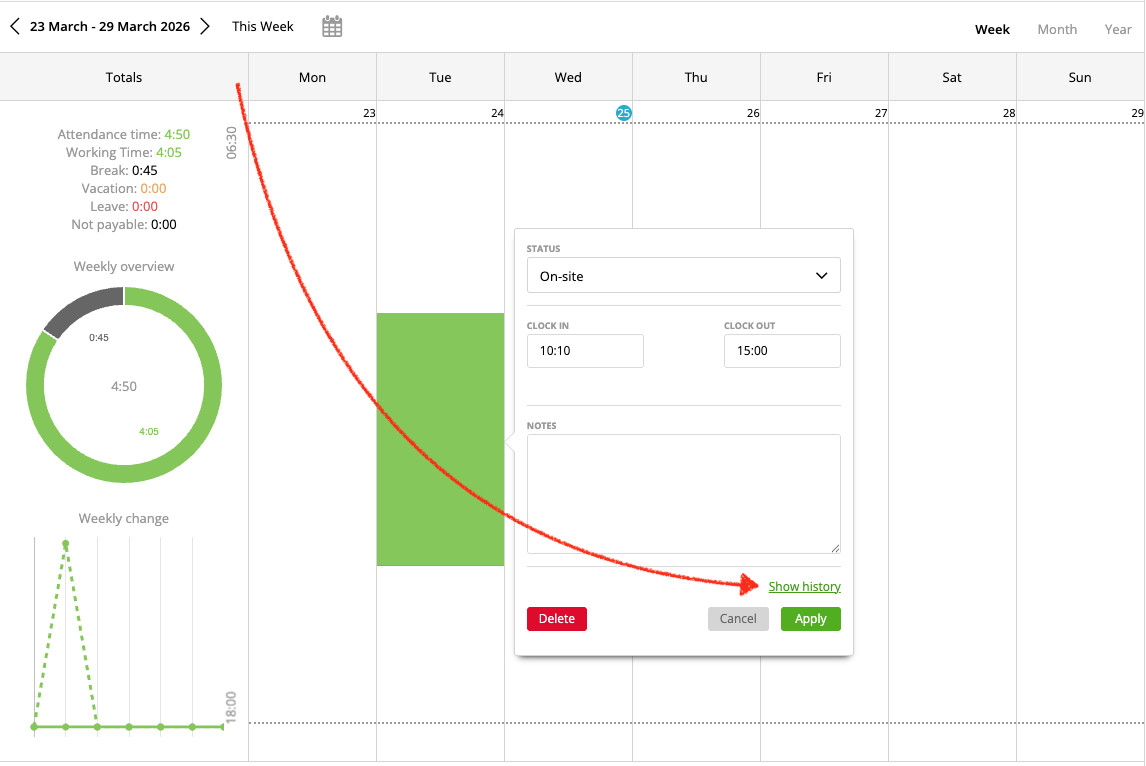
This log can not be exported.
View deleted attendance time records
If a day contains an attendance time record that was deleted you see the history icon on the day: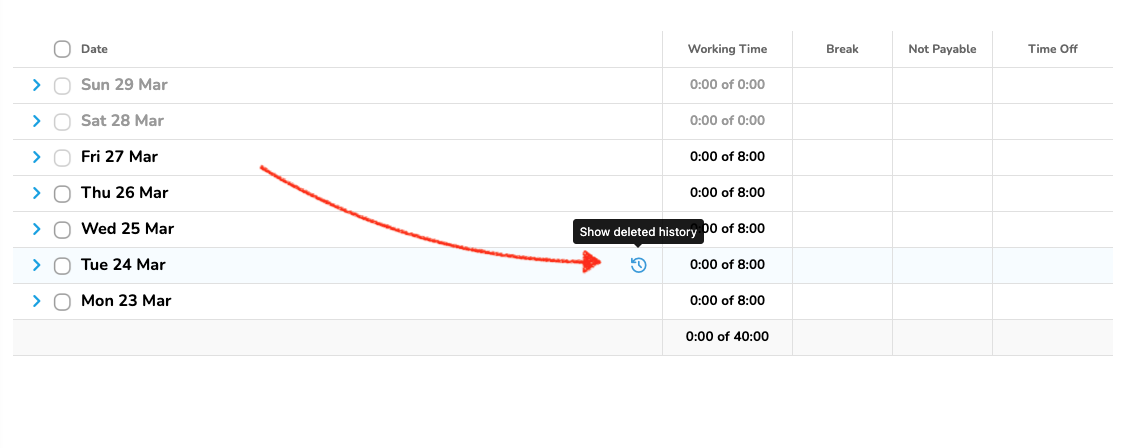
Deletion history can be only view on the attendance list, it is not available on the calendar view. You can only view the deleted record and who deleted it, you can not restore the time record.