As a project manager and substitute you can plan tasks for your projects as a visual timeline with a Gantt chart.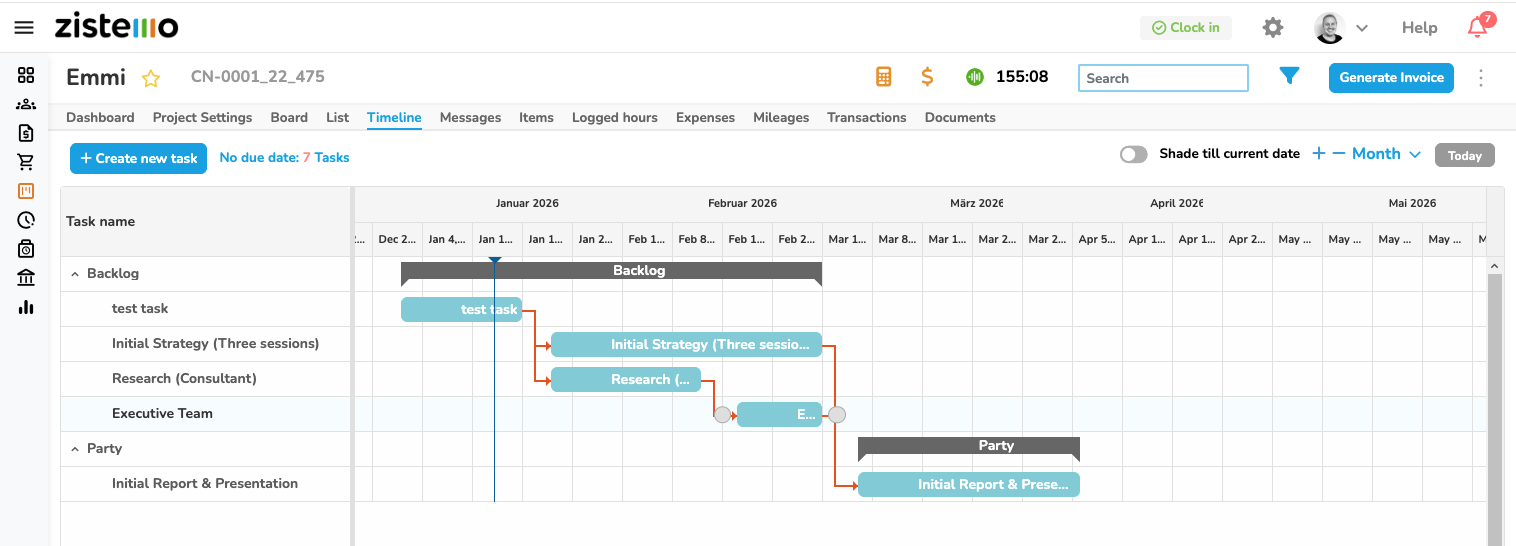
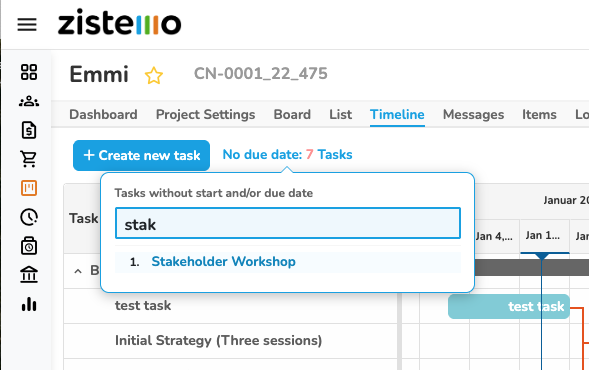
Only tasks that have a start and due date are shown on the timeline. Those tasks can be easily added where you see “No due date…”. Also, you can add new tasks at that view.
Access
The timeline is available for project managers (team leader and team member role) and admins only. Project members do not see dependencies on tasks. They start and due date of a task but can’t edit.
Dependencies
Add dependencies by drag and drop from the round connection point behind the task or add it right on the tasks.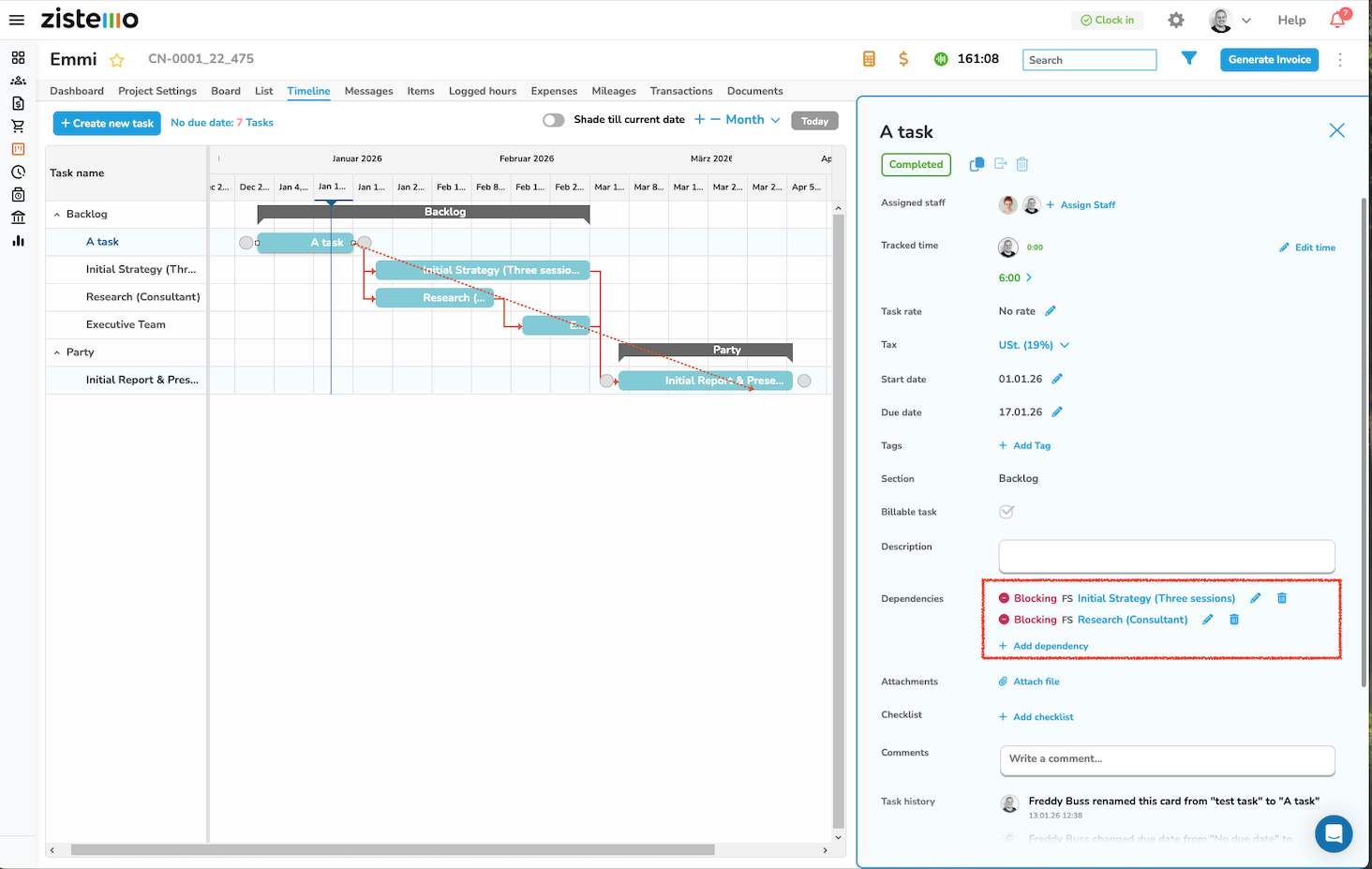
Dependency Types:
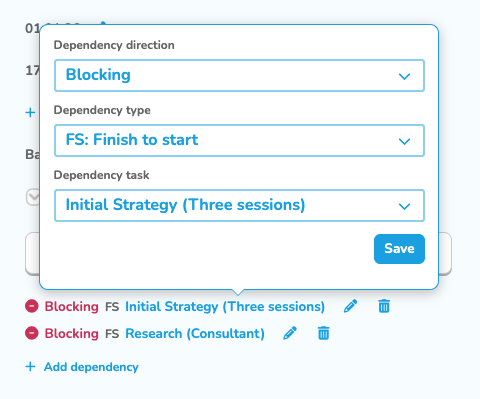
FS: Finish to start ➜ Task B starts after Task A is finished
SS: Start to start ➜ Task B starts when Task A starts, tasks run in parallel
FF: Finish to finish ➜ Task B finishes when Task A finishes, can start earlier.
SF: Start to finish ➜ Task B finishes only after Task A starts
Right now, dependencies does not have any effect on zistemo. You can track time time to any task at any time and close it.